

As a small business owner in Luxembourg, you wear many hats. You’re the CEO, the marketer, the salesperson, and the accountant—all at once. With so many critical tasks demanding your attention, the day is never long enough to do everything perfectly. But what if you could clone yourself? Or better yet, what if you could teach your software to handle the repetitive, time-consuming tasks that drain your energy and focus? That’s the power of workflow automation.
Many business owners ask, “what are examples of workflow automation that I can actually use?” It’s not about futuristic robots taking over; it’s about using smart, accessible tools to streamline the processes you already do every single day. These automation examples in real life are designed to create reliable systems that save you time, reduce costly human errors, and free you up to focus on what truly matters: building client relationships and growing your business.
Here are 10 practical workflow automation examples that small businesses and nonprofits can implement today to see an immediate impact.
Marketing & Sales Automation Examples
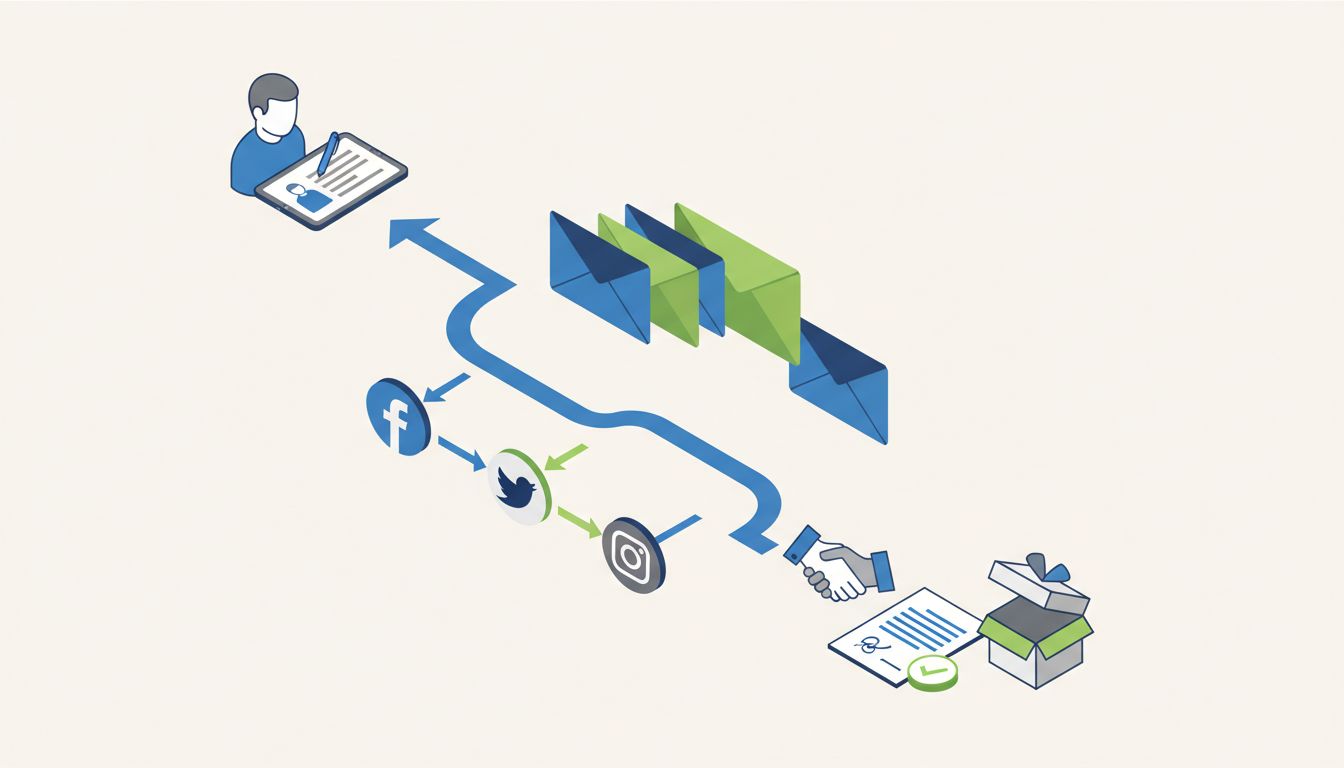
1. Automated Lead Nurturing Email Sequences
When a potential customer shows interest by filling out a contact form or downloading a guide from your website, that moment is critical. The clock starts ticking. Instead of manually remembering to send a follow-up email while juggling ten other tasks, you can automate the entire process.
- How it works: The moment a new contact is added to your CRM or email list, it automatically triggers a pre-written email sequence. The first email, a warm welcome or delivery of their requested resource, is sent instantly. This is followed by a carefully timed series of helpful messages over the next few days or weeks, which could include case studies, answers to common questions, or tips related to their initial interest.
- Why it’s great: This system ensures every single lead gets a prompt, professional, and consistent follow-up, keeping your business top-of-mind. It systematically builds trust and nurturing them toward a sale without you lifting a finger.
2. Social Media Content Scheduling
Maintaining an active social media presence is crucial for brand awareness, but logging into different platforms every day to post content can be a major time drain and a distraction from core business activities.
- How it works: Using a social media management tool (like Buffer, Hootsuite, or Metricool), you can dedicate a single block of time to schedule all your posts for the week or even the entire month. You create the content, upload it, and tell the software when to publish it on each platform. The software will then publish everything automatically at the optimal times you’ve chosen.
- Why it’s great: This approach ensures a consistent posting schedule, which algorithms favor, keeping your brand visible to your audience. It also allows you to batch-create content efficiently, freeing up your daily schedule and mental energy for more pressing tasks.
3. Client Onboarding Workflows
A smooth, organized onboarding process sets the tone for a great client relationship and shows you are professional and reliable. Automation can turn a multi-step manual checklist into a seamless, impressive, and error-free automated workflow.
- How it works: The moment a new client signs your contract or makes their first payment, it can automatically trigger a series of actions. For example, a personalized welcome email is sent to the client with next steps, a new project folder is created in Google Drive, a project board is set up in your management tool (like Asana or Trello), and the first invoice is generated and sent from your accounting software.
- Why it’s great: It creates a fantastic and professional first impression, eliminates the risk of manual setup errors like forgetting a step, and gets projects kicked off faster. This is where a tailor-made strategy shines, ensuring the workflow perfectly matches your specific business needs and client journey.
Operations & Administration Automation Examples
4. Automated Invoice Generation and Reminders
Chasing late payments is one of the most dreaded and awkward tasks for any business owner. It strains client relationships and hurts your cash flow. You can let your accounting software be the persistent (but polite) bad guy instead.
- How it works: Your accounting software (like Xero or QuickBooks) can be configured to automatically generate and email recurring invoices for retainers or subscriptions on a set schedule. For project-based work, once a project is marked as complete, the final invoice can be triggered. If a payment becomes overdue, the system can send a series of polite, automated reminder emails at predefined intervals (e.g., 3 days, 1 week, and 2 weeks late).
- Why it’s great: It dramatically improves cash flow by ensuring invoices go out on time and are followed up on consistently. This saves countless hours of administrative work and removes the personal awkwardness of chasing clients for money, preserving your positive relationship.
5. Meeting Scheduling and Confirmation
The endless back-and-forth emails trying to find a meeting time (“Does Tuesday at 2 PM work for you? How about Wednesday at 10?”) are a massive and unnecessary productivity killer.
- How it works: Tools like Calendly or SavvyCal sync with your personal or work calendar, showing only the times you are actually available. You share a single booking link with your client, who can then pick a time that works for them. Once booked, the system automatically creates the calendar event, sends confirmation emails to both parties (with a video conference link), and dispatches reminders before the meeting.
- Why it’s great: It completely eliminates scheduling conflicts and the associated email tag. The automated reminders significantly reduce no-shows, and the whole process makes booking a meeting with you incredibly easy and professional for your clients.
6. Employee Onboarding & Offboarding
When a new employee joins, there’s a mountain of administrative tasks to complete to ensure they feel welcome and are set up for success. The reverse is true when they leave, where security is paramount. Automation can streamline this for HR or the business owner.
- How it works: When a new hire signs their contract, a workflow can trigger the creation of their email and software user accounts, send out necessary HR documents for e-signature, and assign their first introductory training tasks in your project management system. For offboarding, an employee’s departure date can automatically trigger the revocation of access to all key systems, schedule an exit interview, and notify payroll.
- Why it’s great: It ensures a consistent and positive experience for every new hire, reduces the administrative burden on managers, and dramatically improves security by making sure no former employees retain access to sensitive company data.
Customer Support Automation Examples
7. Automated Customer Feedback Collection
How do you know if your customers are happy with your service? You have to ask them! But manually remembering to ask every customer for a review is nearly impossible. Automate the request to build your reputation systematically.
- How it works: A trigger, such as a project being marked as “complete” in your system or a set period after a product is delivered, can initiate an automated email. This email can politely ask the customer for a review on a specific platform like Google, your Facebook page, or a trusted industry review site.
- Why it’s great: It consistently generates valuable social proof and testimonials that new customers rely on to make decisions. It also provides a steady stream of insights into the customer experience without any ongoing manual effort.
8. Ticket Routing and Initial Response
If you receive support requests via a shared email inbox or a formal helpdesk system, automation can help manage the queue, set clear expectations with customers, and ensure nothing falls through the cracks.
- How it works: When a new support ticket or email arrives, the system can scan the content for keywords. Based on words like “billing,” “technical,” or “sales,” it can automatically categorize the request and assign it to the right team member or department. Simultaneously, it sends an immediate auto-reply to the customer letting them know their request has been received and what the expected response time is.
- Why it’s great: It provides immediate acknowledgment to the customer, which improves their confidence and satisfaction. It also ensures no customer request is missed and that the right person is looking at the problem from the very beginning, leading to faster resolution times.
Advanced & Custom Automation Examples

9. Data Syncing Between Apps
Your business likely uses several different apps that don’t naturally talk to each other—a CRM, an email marketing platform, an e-commerce store, an accounting tool, etc. Manually entering the same customer information in multiple places is slow, tedious, and a recipe for errors.
- How it works: This is where powerful automation software examples like Make or n8n come in. These tools act as a universal translator or bridge between your apps. For example, you can create a workflow where a new sale in Shopify automatically adds the customer to a specific post-purchase follow-up list in Mailchimp, creates a deal and contact record in your HubSpot CRM, and even adds a new row in a Google Sheet for financial tracking.
- Why it’s great: It eliminates repetitive, soul-crushing data entry and prevents data silos. This creates a single source of truth for your customer data, ensuring everyone on your team is working with the most up-to-date information and unlocking more powerful, integrated marketing campaigns. Leveraging these advanced tools is a core strength of ours at UP D Marketing.
10. Automated Reporting Dashboards
Manually logging into Google Analytics, your social media platforms, your ad accounts, and your CRM to pull data for a weekly or monthly report is incredibly tedious and time-consuming. By the time you’ve built the report, the data is already old.
- How it works: A workflow can be built to automatically pull key metrics (like website visitors, new leads, ad spend, and conversion rates) from all your different data sources and feed them into a single, live dashboard using a tool like Google Data Studio (now Looker Studio). This report then updates itself in real-time or on a daily basis without any manual intervention.
- Why it’s great: It provides a clear, up-to-the-minute view of your business performance, all in one place. This enables you to spot trends, identify what’s working, and make smarter, data-driven decisions without spending hours every week just compiling numbers. This multichannel knowledge is key to understanding the full picture of your business health.
How to Get Started with Workflow Automation
Seeing these examples, you might be feeling both excited and a little overwhelmed. The key is to start small and build momentum. The process is straightforward:
- Identify: Take a day to consciously observe your work. Look for tasks that are repetitive, manual, and time-consuming. What do you do over and over again? What tasks are simple but prone to small mistakes? Write them down.
- Prioritize: You can’t automate everything at once. Start with one simple workflow that will have a high impact on your daily productivity. A great first choice is often meeting scheduling or a simple email auto-responder.
- Implement: Choose the right tools for the job—many have free or low-cost starting plans. Follow their guides to build your first automation, test it thoroughly, and then turn it on.
While DIY is an option, partnering with an expert can help you avoid common pitfalls, choose the right technology stack, and build a truly efficient and scalable system from the start. We focus on creating tailor-made strategies for SMEs and nonprofits, ensuring you get a solution that fits your unique needs, not a cookie-cutter template. Learn how our tailor-made strategies can accelerate your growth.
Partner with an Automation Expert in Luxembourg
Workflow automation isn’t about replacing people; it’s about empowering them to do their best work. By automating the mundane, repetitive tasks, you free up yourself and your team to focus on strategic initiatives, building genuine customer relationships, and creative problem-solving—the very things that grow a business.
At UP D Marketing, we believe in building long-term partnerships based on trust and tangible results. With hands-on founder involvement in every project, we combine our deep knowledge of advertising, SEO, and powerful automation tools like Make and n8n to help your small business or nonprofit work smarter, not harder.
Ready to reclaim your time and scale your operations with intelligent automation? Contact us today to discuss your automation goals.