

As a small business owner or nonprofit manager in Luxembourg, you wear many hats. You’re the marketer, the accountant, the customer service lead, and the strategist. This constant juggling act often involves endless, repetitive tasks that consume your most valuable resource: time. Think about the hours spent manually copying customer data from a form into your CRM, cross-posting social media updates, or sending follow-up emails. But what if you could teach your software to handle that busywork for you, flawlessly, every single time? That’s the power of workflow automation, and choosing the right tools is the first step toward reclaiming your day and focusing on what truly drives growth.
If you’re wondering how to automate repetitive business tasks and unlock new levels of efficiency, you’re in the right place. These systems act as the digital nervous system for your organization, ensuring information flows where it needs to, when it needs to, without manual intervention. This guide will break down the best workflow automation software for small business and nonprofit needs, helping you understand your options and make an informed choice.
What Are Workflow Automation Tools and Why Do You Need Them?
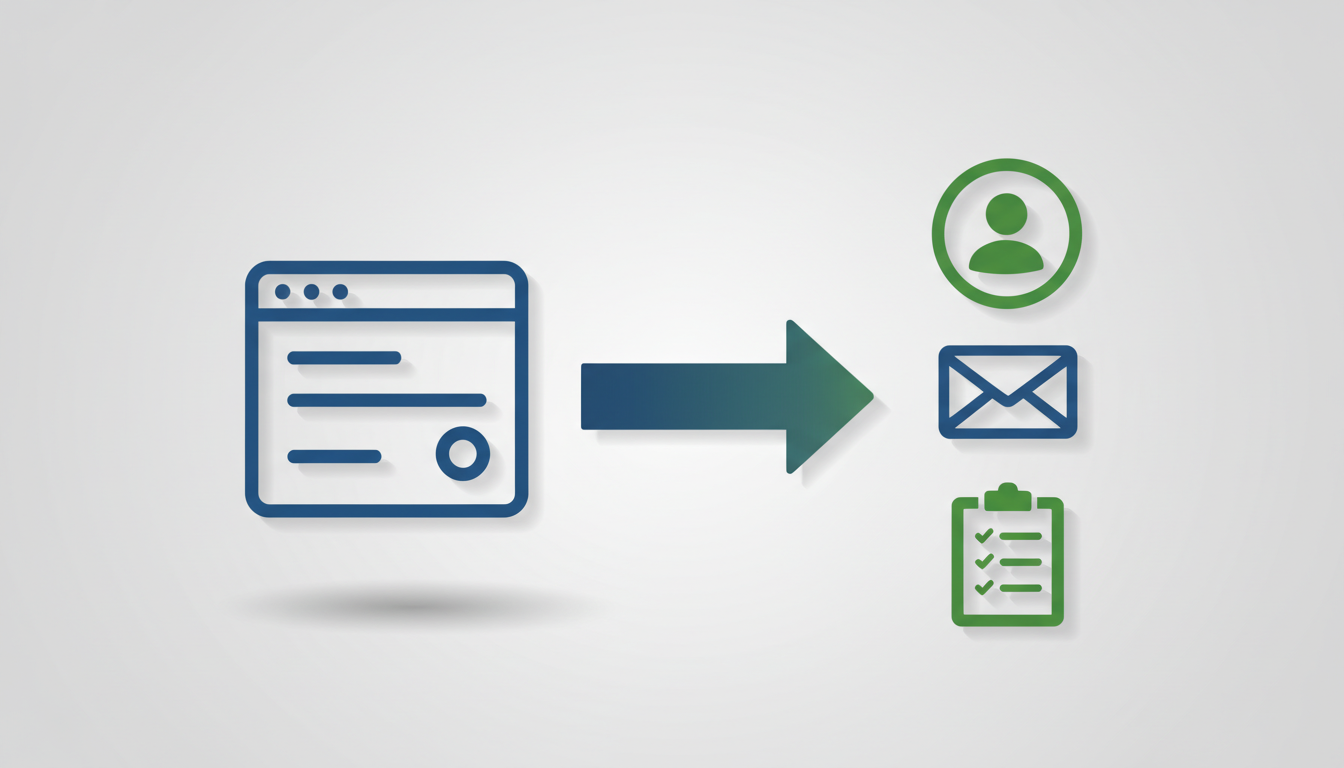
Workflow automation tools are platforms that connect your different apps and services (like your email, CRM, social media, and project management software) and allow them to talk to each other. They serve as a bridge between applications that don’t natively integrate. They work on a simple “when this happens, do that” principle, using triggers and actions. For example:
- When a new lead fills out a contact form on your website (the trigger)…
- …Then automatically add their details to your CRM, send a personalized welcome email from your email marketing platform, and create a task for your sales team to follow up within 24 hours (the actions).
The benefits for SMEs and nonprofits are immediate and significant, transforming the way you operate:
- Save Countless Hours: By automating routine tasks, you free up your team from the drudgery of manual data entry and repetitive processes. This reclaimed time can be reinvested into high-value activities like strategic planning, building customer relationships, or developing new programs.
- Reduce Human Error: Automation doesn’t make typos, forget to copy-paste a field, or miss a step in a process. This ensures a higher level of consistency and accuracy in your data, which is crucial for everything from financial reporting to client communication.
- Improve Lead Nurturing: In a competitive landscape, speed matters. Automation allows you to respond to inquiries instantly, 24/7. This ensures no potential client, customer, or donor falls through the cracks simply because of a delay in a manual follow-up.
- Scale Smarter: As your organization grows, your workload increases. Automation allows you to handle a higher volume of leads, clients, or donations without necessarily needing to hire more staff for administrative roles, enabling more efficient and sustainable growth.
Key Features to Look for in Workflow Automation Software
Before diving into specific platforms, know what to look for. The best tool for one organization may not be the right fit for another. Not all workflow automation tools are created equal, so evaluate them based on these core features:
- App Integrations: This is the most critical feature. Does the tool connect seamlessly with the software you already use every day? Check for integrations with your CRM, email marketing service, accounting software, project management tool, and any other core applications. A robust library of pre-built integrations will save you immense time.
- Ease of Use: How intuitive is the interface? For teams without a dedicated developer, a visual, drag-and-drop builder is often ideal. It allows you to map out processes logically without writing a single line of code, empowering more people on your team to build and manage automations.
- Scalability & Pricing: Consider how the tool will grow with you. Pricing models are often based on the number of tasks executed or the number of active workflows. Think about your future needs. A platform that seems cheap today could become prohibitively expensive as your operations scale.
- Power & Flexibility: Can the tool handle more than just simple two-step connections? True power comes from the ability to add logic, like routers (which send data down different paths based on a condition) and conditional steps (e.g., “IF the lead source is ‘Facebook Ad’, THEN add the ‘Social Lead’ tag”). This allows you to build complex, multi-path workflows that mirror real-world business processes.
- Support: When an automation breaks or you can’t figure something out, what help is available? Look into the quality of the platform’s documentation, the responsiveness of its customer support, and whether there’s an active user community forum where you can find answers and share ideas.
Top Workflow Automation Tools for SMEs & Nonprofits
While there are many players in the market, a few stand out for their power and suitability for small-to-medium-sized organizations. At UP D Marketing, we have deep, hands-on experience with the most powerful platforms available, allowing us to choose the perfect tool for each client’s unique ecosystem.
Make (Formerly Integromat): The Visual Powerhouse
Make is a favorite among power users for its incredibly visual and flexible interface. It operates like a digital whiteboard where you can drag and drop app modules and visually connect them. You can see your entire workflow on a single canvas, making it easy to understand, debug, and expand complex processes at a glance.
- Pros: The highly visual builder makes complex logic easy to follow. It offers powerful features like routers, iterators, and advanced error-handling capabilities. Its pricing model, based on operations, is often more cost-effective for high-volume tasks compared to some competitors.
- Cons: The sheer number of features and the unique visual interface can present a steeper learning curve for absolute beginners who are used to a more linear, list-based approach.
- Best for: Businesses and nonprofits that need to build sophisticated, multi-step workflows that go beyond simple A-to-B connections, such as syncing inventory across multiple platforms or creating dynamic, personalized donor engagement sequences.
n8n: The Open-Source & Self-Hosted Option
For the tech-savvy or data-sensitive organization, n8n offers unparalleled control. As an open-source platform, you have the option to host it on your own servers. This means your sensitive customer or donor data never has to leave your own infrastructure, which is a critical requirement for many industries.
- Pros: It’s extremely powerful and flexible, with a node-based system that can be extended with custom code. The self-hosted version is incredibly cost-effective, and it offers total data privacy and control. The community is also very active in developing new integrations.
- Cons: It requires more technical expertise to set up, manage, and maintain compared to fully-managed cloud-based solutions. You are responsible for server upkeep, security, and updates.
- Best for: Organizations with strict data compliance requirements (like GDPR), in-house technical teams, or those who want ultimate control and customization over their automation platform without being locked into a specific vendor.
Zapier: The King of Integrations
Zapier is arguably the most well-known name in automation, and for good reason. It has built its reputation on simplicity and an enormous library of over 5,000 app integrations. If a cloud-based app exists, there’s a very high chance it has a Zapier integration, making it incredibly easy to connect almost any tool you can think of.
- Pros: Exceptionally user-friendly with a simple, linear step-by-step setup process. Its massive app library is unmatched, and it’s fantastic for getting simple automations up and running in a matter of minutes.
- Cons: It can become very expensive as your task usage increases, as its pricing is based on the number of tasks you run. Its linear workflow view is less visually intuitive for complex, multi-path scenarios compared to Make.
- Best for: Beginners, marketing teams, or for creating simple, straightforward automations where ease of use and the speed of setup are the top priorities. It’s perfect for tasks like “when a new file is added to Dropbox, send a notification in Slack.”
The Rise of the AI Workflow Builder

A new frontier is emerging with the integration of Artificial Intelligence into these platforms. An AI workflow builder doesn’t just connect apps based on rigid rules; it adds a layer of intelligence and decision-making. This could mean using AI to automatically categorize incoming support tickets by analyzing the text for sentiment and keywords, drafting personalized email responses based on customer history, or parsing key data from unstructured documents like invoices or resumes. An AI-powered workflow can even make decisions based on context, such as routing a high-value lead to a senior salesperson. Tools like Make and n8n are at the forefront of integrating these AI capabilities, transforming simple automation into intelligent business processes that can learn and adapt.
Beyond the Tool: Why Expert Implementation Matters
Choosing a platform is just the beginning. The real value comes from strategic implementation. Simply connecting two apps is easy, but building a robust, error-proof, and scalable system that truly accelerates your growth requires deep expertise. An expert considers factors a novice might overlook, such as data validation, what happens if an app’s server is temporarily down (error handling), and how to build workflows that are easy to maintain and update in the long run. This is where a dedicated partner makes all the difference. At UP D Marketing, we don’t believe in cookie-cutter solutions. We leverage our advanced skills in Make, n8n, and AI tools to design and build tailor-made strategies that align perfectly with your unique business goals. We start by mapping your existing processes, identifying the biggest bottlenecks and opportunities for efficiency gains, and then build the automated workflows that will have the most significant impact on your bottom line or mission.
With our hands-on founder involvement, you get a dedicated, senior-level expert who is personally invested in your success. We are committed to building a long-term partnership based on trust, transparency, and tangible results. We handle the technical complexity and strategic planning so you can focus on what you do best: running your organization.
Ready to see how a custom-built system can transform your operations? Explore our comprehensive workflow automation services and learn how we can help you scale smarter.
Conclusion: Start Automating Today
The daily grind of repetitive, manual tasks doesn’t have to be your reality. The right workflow automation tools can unlock levels of productivity you never thought possible, giving you and your team back the time you need to focus on growth, strategy, and serving your clients or community. Automation isn’t about replacing people; it’s about empowering them to do their most important and creative work.
If you’re ready to move beyond just choosing a tool and start building a powerful automation engine for your business or nonprofit, contact UP D Marketing today. Let’s build your more efficient future, together.